REELS 247Reels247

AI Coach → Flagship Engine

The Coach finds the campaign path. Flagship puts it in motion.

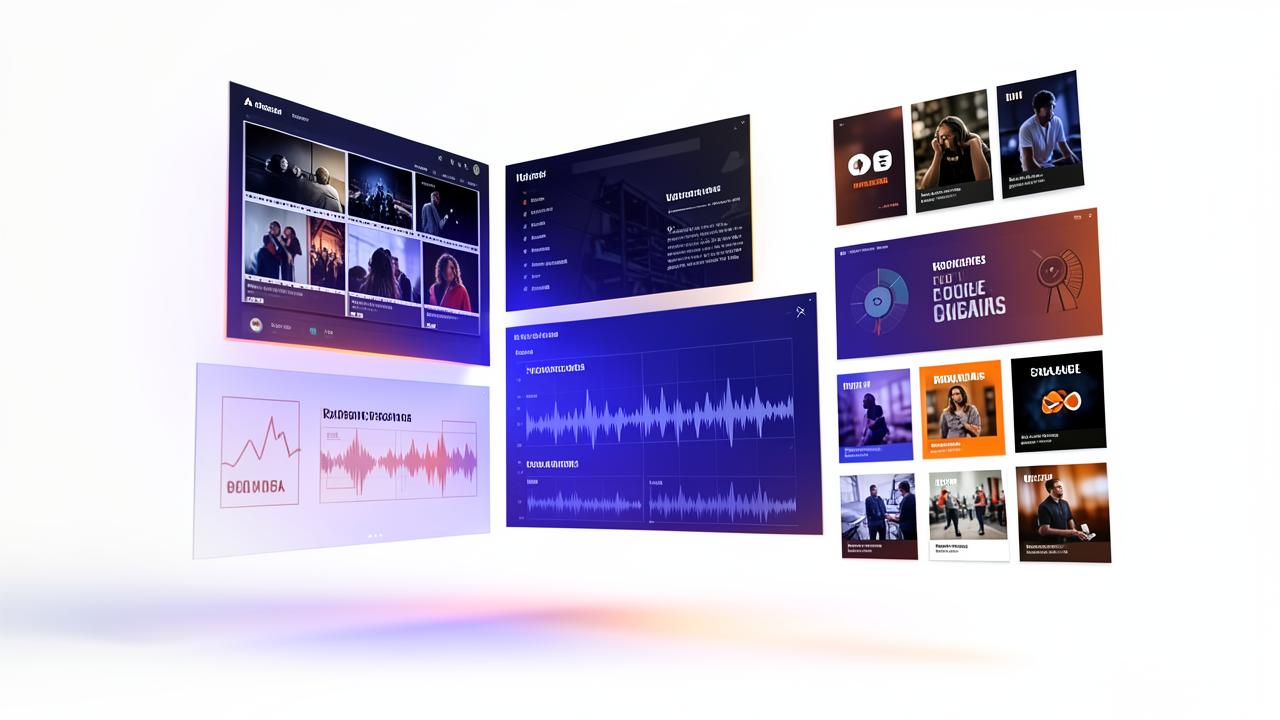
Start with the goal and the link. The Coach helps choose the angle and next steps; Flagship turns them into approved videos, captions, a posting calendar and trackable links.

Coach-guided strategyLink to calendarBatch approvalsTracked links

REELS247 AI Coach

Meet the Coach first. Then watch the entire platform follow the plan.

The tour begins where a member begins: one conversation about the goal. The Coach turns it into a plan, carries the context into the right feature areas and stays nearby as the work moves from creation to publishing and follow-up.

  • Action plansTurn a goal into clear, ordered next steps.
  • Ideas and copyCreate hooks, scripts, captions and posting plans.
  • Images in chatGenerate a visual, download it or continue in Image Studio.
  • Video in chatDescribe a clip, watch it in chat, download it or continue in Video Studio.
  • Ongoing partnerKeep one conversation and its context across your workspace.
Get your AI Coach

Meet REELS247 AI Coach

Your ongoing business-building partner

Explainer film

How it runs

Four steps from link to published campaign.

  1. 01

    Paste your link

    A website, product page, Amazon listing or affiliate link. We read it once and learn what you sell and how you speak.

  2. 02

    Generate the batch

    AI UGC videos, slideshows, hook-and-demo clips, explainers and memes — three to twenty at a time.

  3. 03

    Approve in one queue

    Watch, keep, re-roll or edit the caption. Approved work moves straight into the calendar.

  4. 04

    Publish and track

    Schedule across connected accounts, keep tracked links on every post and watch what converts.

Flagship batch approval screen

Brand memory

It sounds like you on the tenth video, not just the first.

The engine keeps your offer, voice, colours and proof points, so every new batch stays recognisable instead of drifting into generic AI copy.

  • One brand profile shared by every studio
  • Re-roll any single video without rebuilding the batch
  • Captions written for the platform you are posting to
  • Tracked links attached automatically
See creator plans

The connected flagship system

Research, production, conversion and follow-up sharing the same context.

Flagship is the campaign spine. These connected systems help choose the opportunity, produce the work, convert the attention and learn from the result.

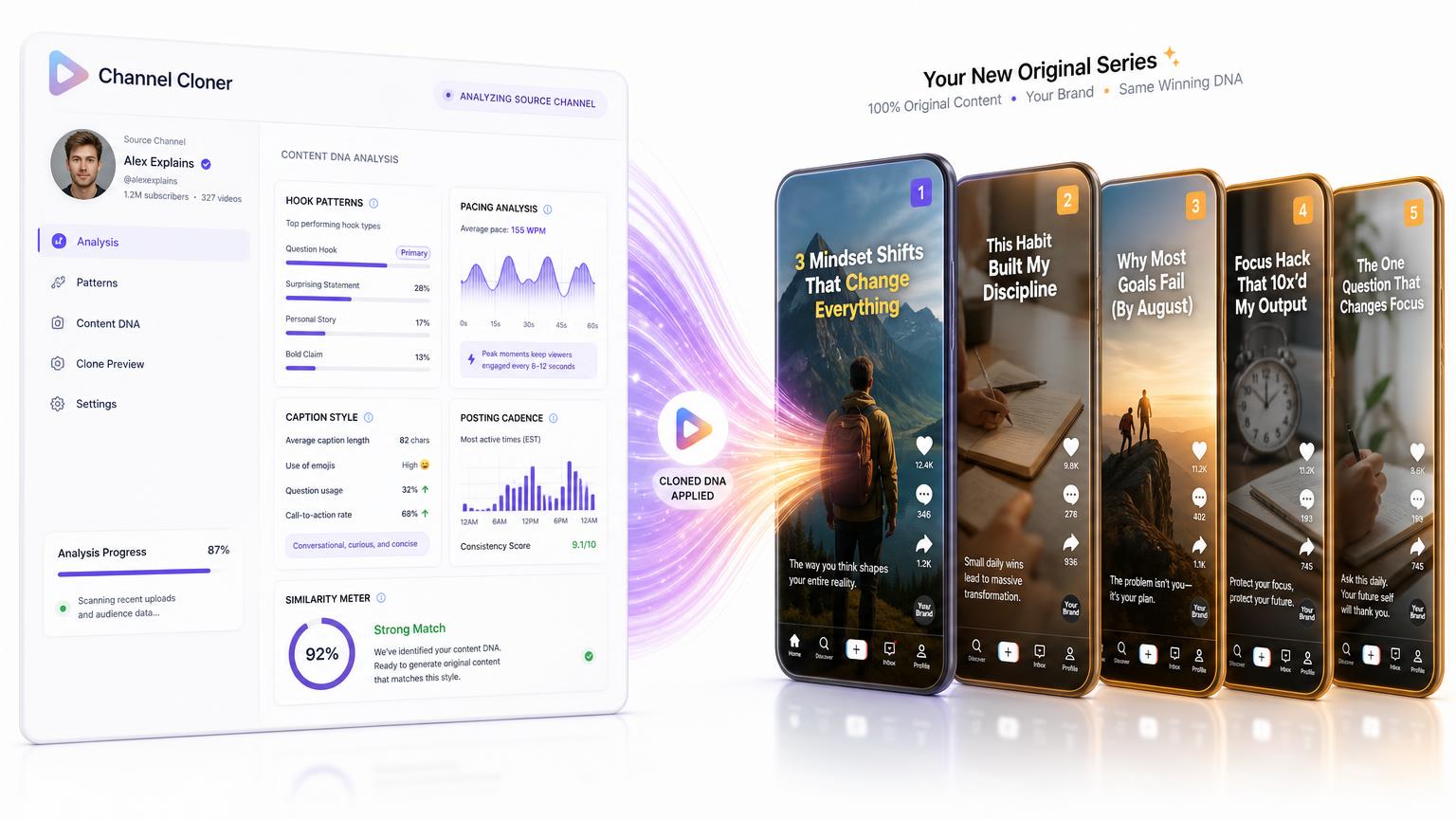
Channel Cloner analysing hooks, pacing and a creator content formula
01

Channel Cloner

Study the structure that wins, then build something original around your brand

Paste a public creator channel or video. Channel Cloner breaks down the hook pattern, story beats, pacing, caption rhythm, posting cadence and topic ladder that make the format work. It never reuses the source footage or script; it converts the structural lessons into an original channel blueprint for your niche, voice and goal.

Best for: Creators and client teams who know whose format works but need an original, brand-safe way to learn from it

Educator

Translate a strong direct-response format into a recurring lesson series for your expertise.

Agency

Decode a niche leader once, then build a distinct channel plan for a client in that market.

How it runs

  1. 1Paste a public channel or individual video and select your target platform and niche.
  2. 2Review the structural teardown, hook bank, pacing notes and posting formula.
  3. 3Send the approved blueprint into a pilot series, full calendar or reusable production playbook.

What you get

  • Channel DNA report covering hooks, beats, length, captions and cadence
  • Original topic ladder and 30-day plan adapted to your niche
  • Choice of pilot series, full calendar, hook bank or editing playbook
  • A direct handoff into the Series Engine instead of another copy-and-paste step
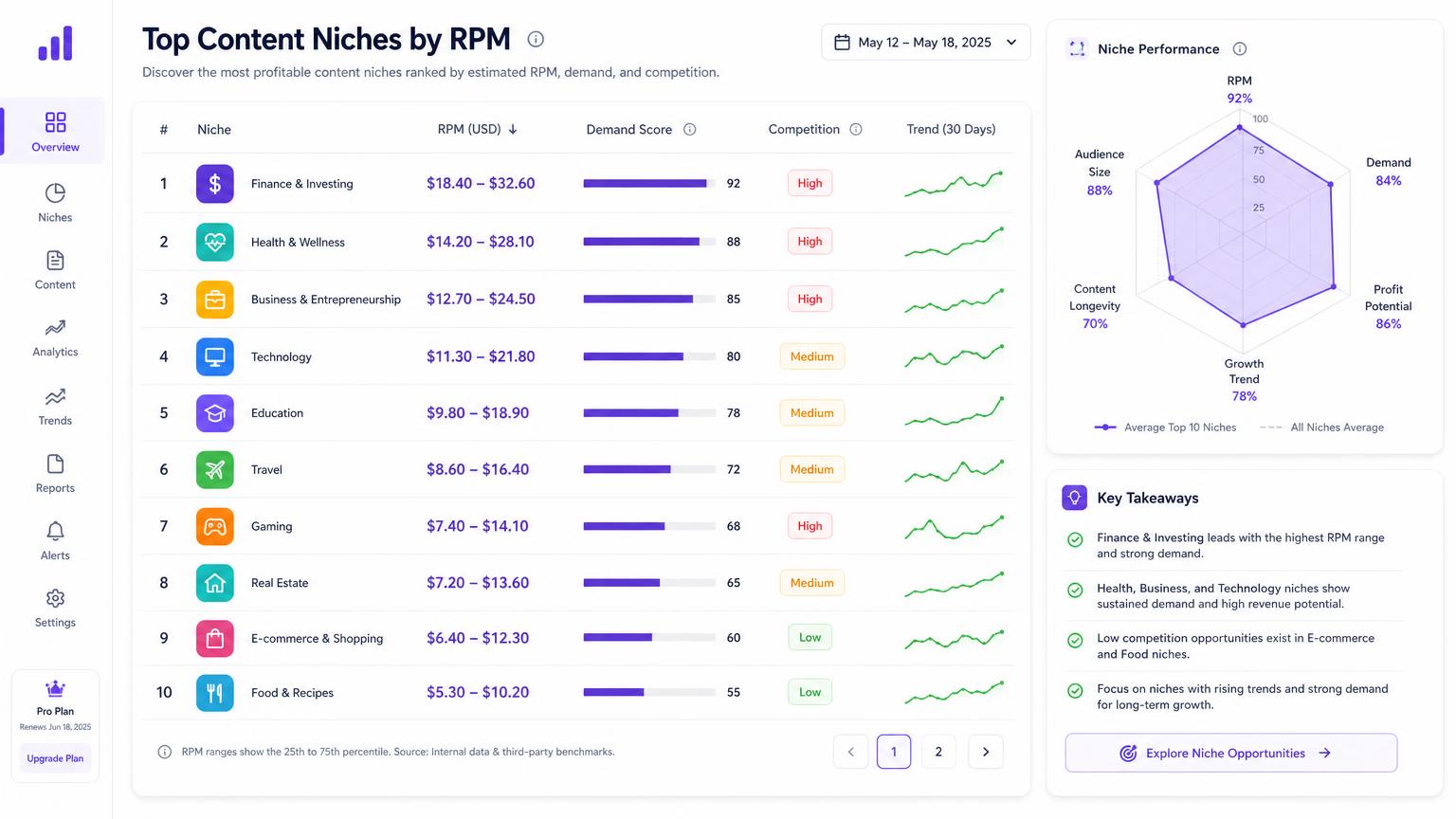
High-RPM niche dashboard comparing advertiser value, demand and competition
02

High-RPM Niche Intelligence

Know what a market may be worth before funding the content

Niche Intelligence compares advertiser value by niche, platform and country with audience demand, competition and current content momentum. It then surfaces the hooks, keywords, sponsor categories and emerging angles worth testing, so research can shape the season before production credits are spent.

Best for: Members choosing a new channel direction and agencies validating a client niche before proposing a content programme

How it runs

  1. 1Choose a market, platform and target country.
  2. 2Compare RPM benchmarks, demand, saturation, momentum, search terms and sponsor categories.
  3. 3Send the strongest niche, hooks and angles directly into a new series plan.

What you get

  • RPM benchmark ranges by niche, platform and geography
  • Demand-versus-competition and trend-momentum signals
  • Hook library with opening-retention context
  • Keywords, sponsor categories and a production-ready niche brief
Agency owner managing client conversations in the Social CRM
03

Social CRM & AI Closer for Agency Owners

Keep the conversation attached to the client, campaign and offer

The Social CRM brings comments, direct messages, lead activity and next actions into one operating view. The AI Closer answers from the client’s approved packages, prices, proof and objection handling—not invented promises—then identifies buying intent, points the prospect to the right offer and leaves the agency team free to take over at any moment.

Best for: Agency owners managing response volume across several clients without mixing brands, prices or conversations

How it runs

  1. 1Connect the client’s supported social accounts and load the approved offer details.
  2. 2Let the Closer handle routine questions and objections while it watches for buying signals.
  3. 3Take over qualified conversations, record the next action and trace the lead back to its campaign.

What you get

  • One conversation view for comments, messages and lead activity
  • Answers grounded in each client’s approved offer and brand voice
  • Buying-intent cues, human takeover and next-action tracking
  • Campaign attribution and separate client workspaces for agency operations
Hosted product sales page with video, offer details and checkout
04

Product Sales Page Builder

The same link that creates the ad can create the place it sells

Paste a product page and the builder creates a hosted sales page around the offer: headline, benefits, proof, FAQs, guarantee, still images, embedded commercial, optional add-ons and card checkout. Every section remains editable and reorderable before publishing, so the result is a real sales asset rather than a locked AI draft.

Best for: Creators selling products or affiliate offers and agencies adding a high-value conversion deliverable to a client package

How it runs

  1. 1Paste the product link and confirm the offer, audience and price.
  2. 2Review the generated copy, imagery, video, FAQs, guarantee and optional upsells.
  3. 3Reorder or rewrite sections, publish the page and follow views, clicks and sales.

What you get

  • Complete editable product-page copy and structured section layout
  • Product imagery and a matching commercial embedded at the top
  • FAQs, guarantee, upsells and connected card checkout
  • Hosted public page with view and click reporting
Creative Studios Suite building a polished product commercial
05

Creative Studios Suite

A complete production floor for ads, explainers, presenters and campaign assets

Creative Studios replaces the blank prompt with production workflows. Turn product links into cinematic commercials, scripts into presenter-led explainers, any article link into a full video or a short hook-first brief, documents into planned scenes and winning setups into reusable templates. Choose proven sales angles, lock a presenter and voice, use narration or lip sync, then request a paid re-film for only the shot you want to change; genuine production failures return the affected credits automatically.

Best for: Creators and agencies producing sales videos, explainers, launch films and repeatable client campaigns

Product

Turn one storefront link into the sales angle, presenter script, connected shots and finished ad.

Agency

Save the winning setup as a private template and adapt it across client offers.

How it runs

  1. 1Choose the production job: product commercial, explainer, presenter video, article or document video, or a saved template.
  2. 2Approve the angle, script, presenter, voice, framing and shot list before rendering.
  3. 3Produce the connected scenes, review the finished cut and re-film only the shots that need correction.

What you get

  • Product-link commercial workflow with proven direct-response angles
  • Presenter and voice controls with narration, lip sync and reusable brand identity
  • Document-to-scene production, plus link-to-video: read any article and turn it into a full video or a short brief
  • Viral presets and private templates saved from your winning setups
  • Continuity-aware finished videos with individual paid re-films and automatic credit returns for genuine render failures

And everything around it

Flagship is the front door, not the whole house.

The same workspace carries reel series, explainers, avatars, long-form films, client portals, CRM and publishing.

AI Reel Series

Turn one idea into connected episodes with consistent branding, scripts and visual direction.

Explainers and cinematic commercials

Create presenter-led explainers or a complete seven-beat commercial with narration, music, captions, branding and vertical plus square delivery.

AI Coach

A built-in AI work assistant on your dashboard for ideas, scripts, captions and plain-language next-step guidance, every day.

Single Video Replicator

Upload a proven video and rebuild its complete structure with original words, visuals and one consistent presenter when needed.

Brand Avatars

Build a familiar on-camera identity that carries your message across recurring content.

Avatar Polish Studio

Polish grooming, wardrobe, lighting and framing while preserving the exact person and every original photo.

Trend Remix

Take a proven trend or an existing video and rebuild it around your own offer.

Long-form films

Produce complete multi-minute films scene by scene while progress continues safely in the background.

Publishing and scheduling

Approve finished work, post to TikTok now or schedule across connected accounts from one clear calendar.

Agency portals

Run your whole client business from branded agency portals built on top of the platform.

White-label client portals

Give clients a branded path for intake, review, revisions, approvals and delivery.

CRM and follow-up

Keep lead activity, conversations and next actions tied to the campaign that created them.

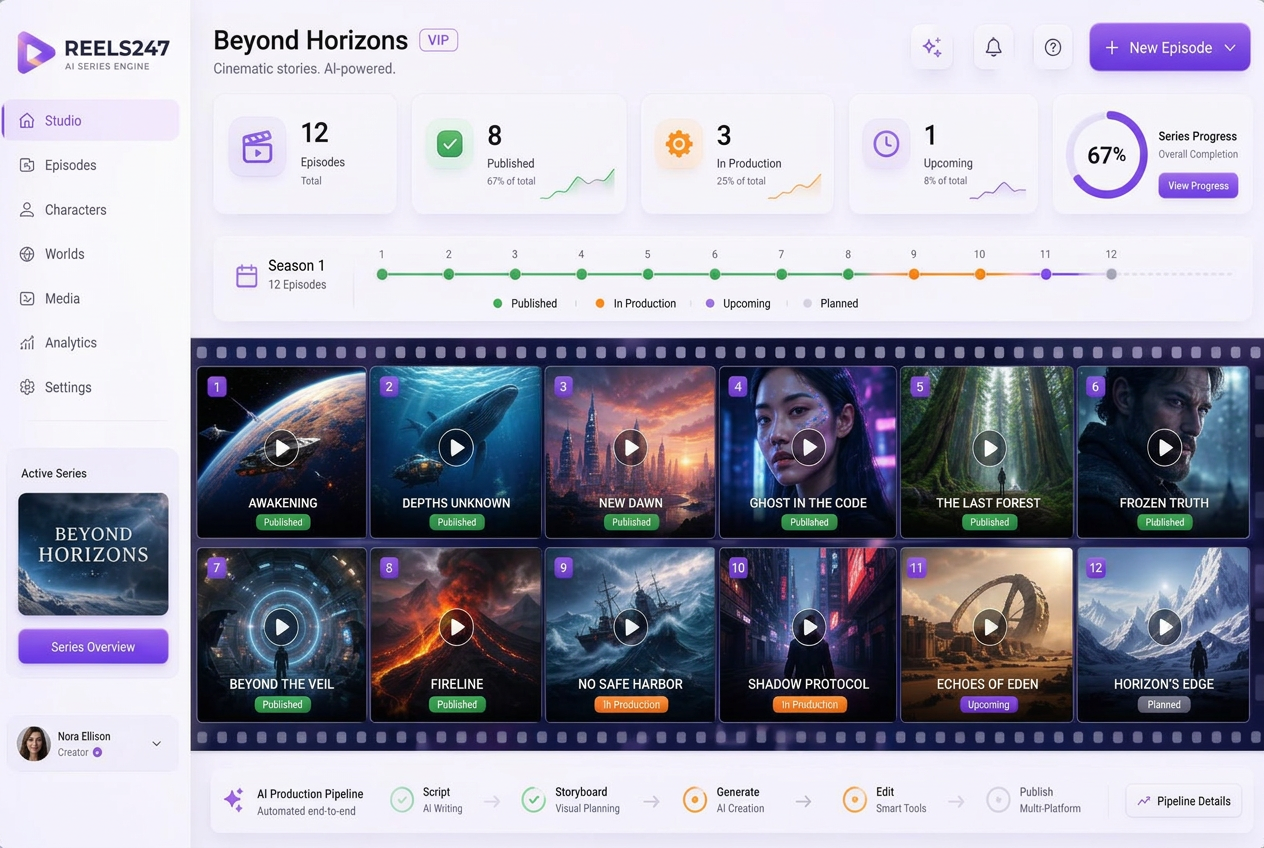
Creator reviewing a connected branded reel series
01

AI Reel Series

One idea becomes a connected run of episodes

Instead of generating single disconnected clips, you describe one idea — an offer, a topic, a website, a product — and the series engine plans a run of episodes around it. Scripts, hooks, visual direction, voice and on-screen styling stay locked to the same brand across every episode, so a viewer who sees episode seven recognises it as yours.

Best for: Daily or weekly posting where consistency matters more than one-off perfection

How it runs

  1. 1Give the engine a source: a link, an offer, a topic or an upload.
  2. 2Review the episode plan and scripts, then adjust anything before rendering.
  3. 3Render the run, approve episode by episode, and send the batch to the calendar.

What you get

  • Episode plan with hooks, scripts and scene direction
  • Locked identity and seed so faces and styling stay consistent
  • Per-episode re-roll without rebuilding the whole series
  • Captions written per platform, with your tracked link attached
The Grand Opening of AI-Automated Business Creation, led by the REELS247 AI Coach
02

AI Coach

A built-in AI work assistant that knows your account

The Reels247 Coach sits at the top of your dashboard as an always-on creative strategist. It knows your plan, connected accounts and what you've been producing, so you can ask it what to do next, build a plan of action, request ideas and scripts, get captions for the week, create images, or lay out a posting schedule — without leaving the platform. The same ongoing conversation follows you into feature areas and minimizes neatly when you want the workspace back.

Best for: Members who want direction, not just tooling — a strategist on call every day

How it runs

  1. 1Open the Coach panel at the top of your dashboard and ask anything.
  2. 2Get guidance tailored to your plan, credits and connected accounts.
  3. 3Follow the suggested next step — then run it in the matching studio.

What you get

  • Ideas, scripts, hooks and captions written for your platforms
  • Plain-language guidance through Reels247's tools and workflows
  • A week-by-week posting plan you can hand to Publish & Schedule
  • A persistent conversation that remembers where you left off
  • One ongoing conversation that follows you across the member workspace
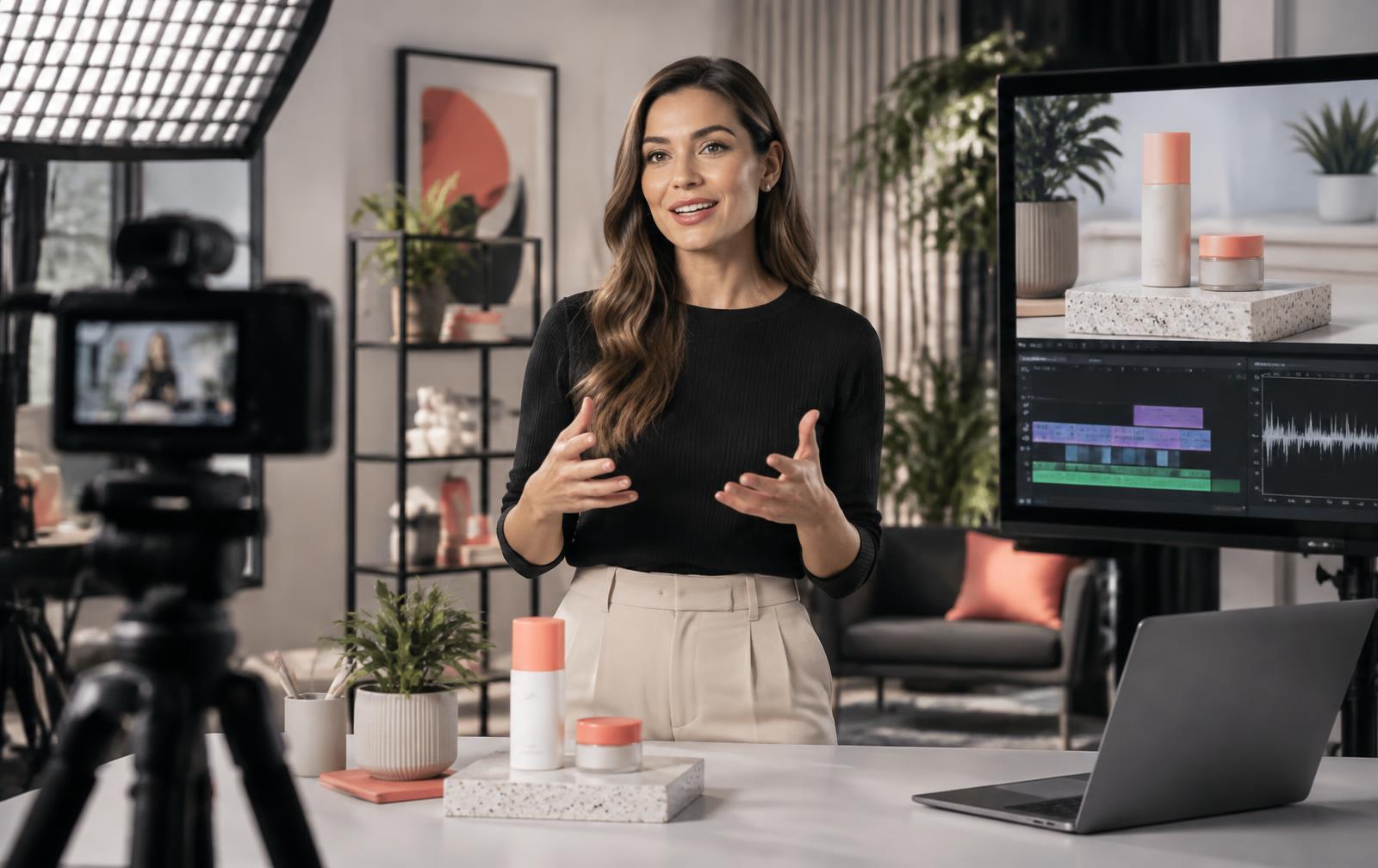
Presenter recording a polished product explainer
03

Explainer and Commercial Studio

Presenter-led video without a camera, studio or crew

The Explainer Video Studio uses fixed, quality-proven templates rather than an open-ended prompt box, which is why the output stays sharp instead of drifting. Pick a template, supply the message, and you get a presenter-led explainer, product walkthrough or social ad. Cinematic Commercial mode expands that into a complete seven-beat, 56-second production with continuity, narration, energetic music, captions, branded finishing and vertical plus square editions.

Best for: Sales pages, ads, onboarding videos and anything that has to explain an offer clearly

How it runs

  1. 1Choose an explainer, product or commercial template.
  2. 2Paste your message, paste an article link, or let the studio write it from your offer.
  3. 3Pick narration or lip sync, then render and approve.

What you get

  • Fixed high-quality templates tuned for clarity and sharpness
  • Narrated mode with selectable voices
  • Optional lip sync, including on member-uploaded footage
  • Finishing pass for clean framing, colour and audio levels
  • Paste an article link and get a full video or a short brief, with the length set from the article
  • Cinematic Commercial mode with a locked story structure, 1080p finish and two delivery shapes
Consistent brand presenter shown across several settings
04

Brand Avatars

A familiar on-camera face across everything you publish

An avatar gives your content a recurring presenter so your audience meets the same person every time. Choose an avatar once and it becomes available across the studios, with identity and seed locks that stop the face, hair and styling drifting between renders — the single biggest reason AI video looks untrustworthy. You can also hand your avatar a link: paste any article address, or pick one of your own published articles, choose a full video or a short brief, pick the style — UGC selfie, customer testimonial, explainer, product review, ad spot, news breakdown or story vlog — and the scene, the spoken words and the caption are written for you before you render.

Best for: Creators and brands who want a recognisable presence without appearing on camera

How it runs

  1. 1Select a shared avatar, or set up a replica presenter.
  2. 2Paste an article link (or pick one of your own articles), choose full video or short brief, and pick the style.
  3. 3Review the written scene and spoken line, then render — the same locked face every time.

What you get

  • Identity and seed locking across renders
  • Link-to-video: any article becomes a UGC, testimonial, review, explainer or ad-style avatar clip
  • Full-length or short brief, with length set from the article and still adjustable
  • Written scene direction, spoken line and a ready caption carrying your tracked link
  • Replica presenter option with pricing shown before you commit
  • Works with narration and lip sync
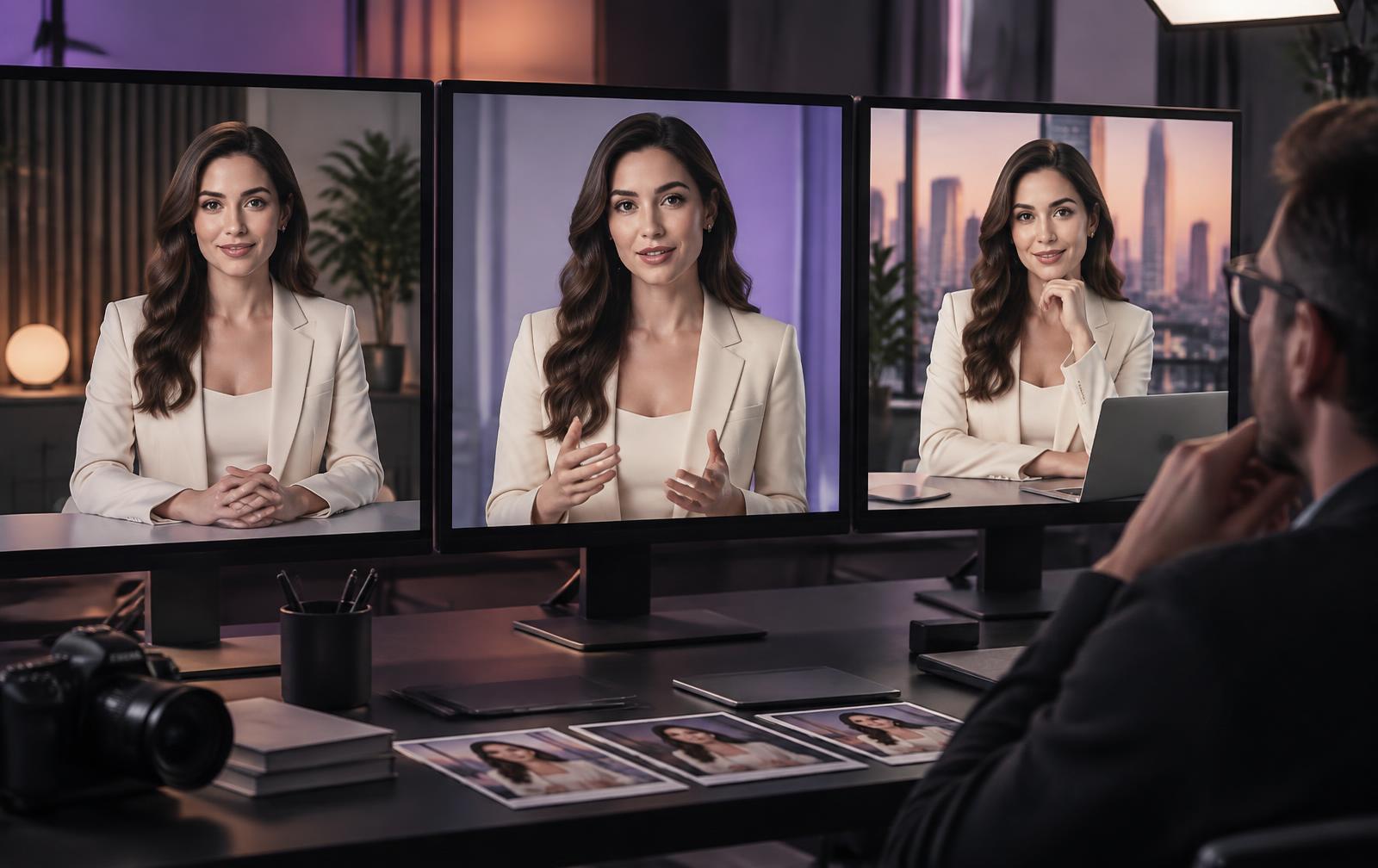
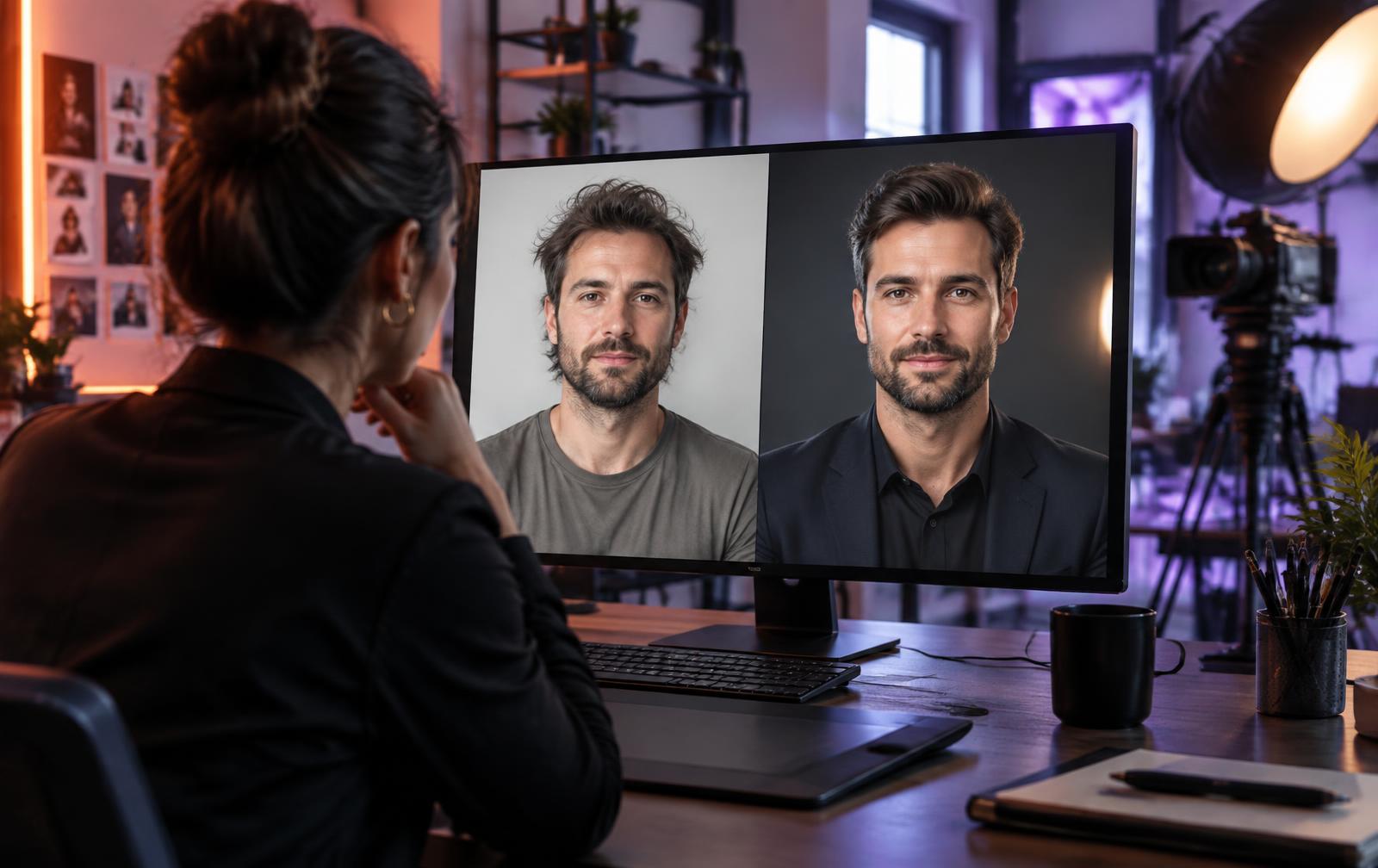
Creative director comparing an authentic portrait with the same identity professionally groomed, dressed and lit
05

Avatar Polish Studio

Make the portrait camera-ready without changing the person

Avatar Polish Studio turns an ordinary uploaded portrait into a polished, professional presenter image while protecting the person’s identity. Choose subtle grooming, natural skin and under-eye correction, better lighting, posture, framing or a professional wardrobe. Natural, Camera-ready and Editorial strengths let you control how far the finish goes. The original stays untouched, and nothing becomes the active portrait until you compare both versions and approve the result.

Best for: Creators, founders and client spokespeople who want to look consistently polished on camera without a grooming team, wardrobe session or reshoot

Creator

Tidy beard lines and flyaway hair, improve lighting and keep the portrait completely natural.

Agency

Give a client spokesperson an approved campaign wardrobe and save it as a reusable brand look.

How it runs

  1. 1Choose the current portrait, an original reference photo or one of the avatar’s saved looks.
  2. 2Select only the improvements you want, then choose Natural, Camera-ready or Editorial strength.
  3. 3Compare the original and polished portraits side by side after the identity check.
  4. 4Approve it as the active portrait, save it as a reusable look, try another version or discard it.

What you get

  • Optional beard, hair, smile, skin, lighting, background, posture and framing cleanup
  • Professional wardrobe direction without changing facial identity or body proportions
  • Automatic identity-consistency check before approval
  • Private, reversible version history with every original preserved
  • Approved portraits available across avatar videos, stills, commercials and series
  • Automatic credit refund when generation or identity checking fails
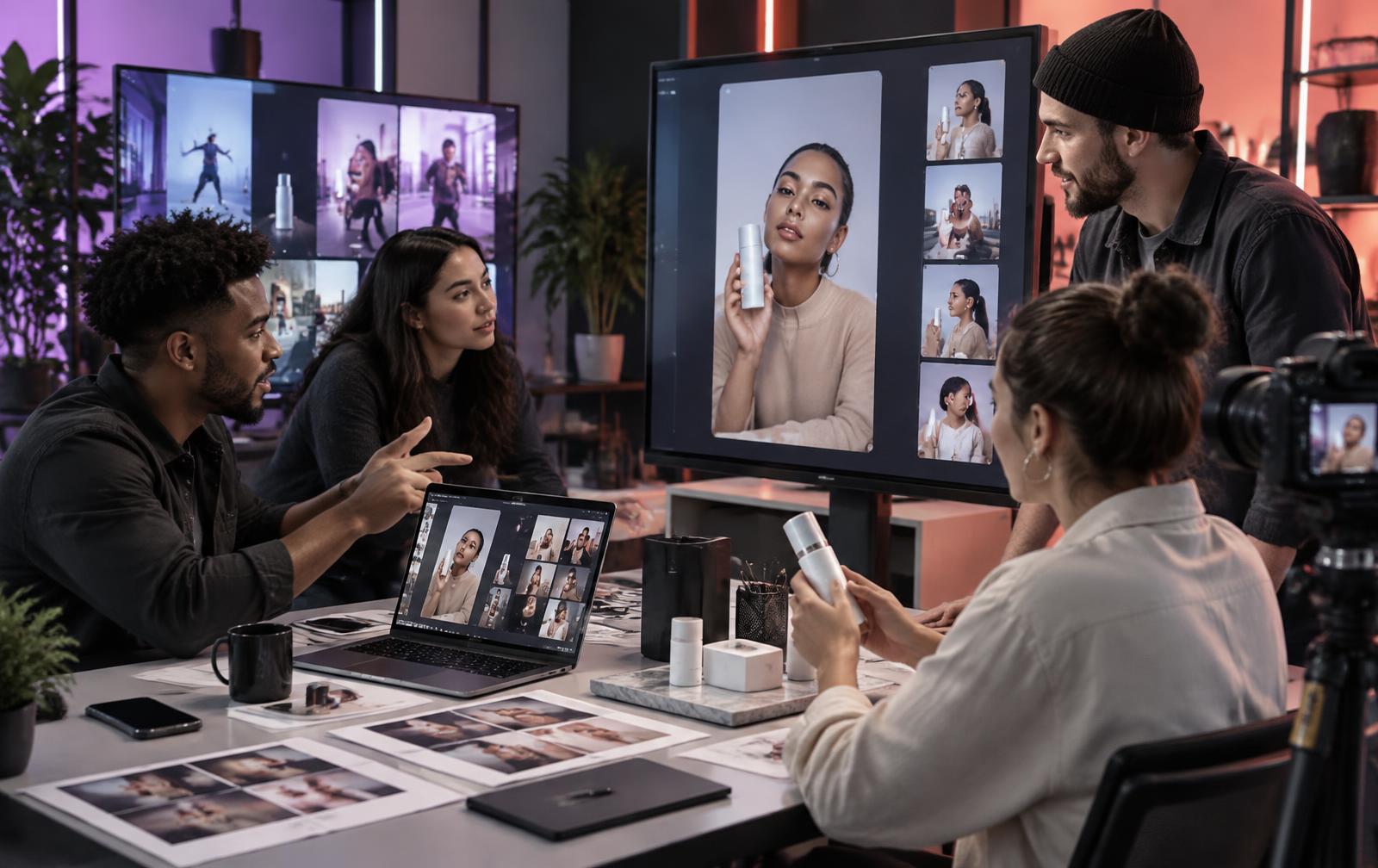
Creative team adapting a social video format for a product
06

Trend Remix

Turn the shape of what is working into content only your brand could publish

Trend Remix closes the gap between noticing a format and publishing a strong version while it still matters. Start with a proven shape from the Trend Library—or describe the pattern filling your feed. The engine isolates why it holds attention, then rebuilds the opening, angle, spoken script, visual direction, caption and hashtags around your product, audience and brand. Add a saved presenter when the format needs a face, approve the finished vertical clip, and move it directly into publishing. Every scheduled post carries its own tracked link, so Results shows whether that exact remix produced clicks, sign-ups or revenue.

Best for: Creators who need relevant ideas, product brands that want trend-aware demonstrations, local businesses that need approachable posts, and agencies producing timely work across several client niches

Creator

Turn “things nobody tells you” into a sharp lesson tied to your own offer.

Product brand

Rebuild a silent speedrun as an eight-second product transformation.

Local business

Use a comment-reply format to answer the question customers ask every week.

Agency

Apply one proven structure across client brands without recycling the same script.

How it runs

  1. 1Discover a proven format by niche, hook pattern, structure and typical reach—or name one you keep seeing.
  2. 2Choose the clip style, objective and on-camera presenter; the engine writes an original angle around your brand.
  3. 3Review the hook, script, finished 9:16 video, caption and hashtags before anything leaves your workspace.
  4. 4Publish once or put the format on autopilot, then compare clicks, sign-ups and revenue in Trend Results.

What you get

  • A complete creative brief: angle, hook, script and visual direction
  • A finished vertical clip with an optional locked Brand Avatar
  • A ready-to-post caption, hashtags and tracked campaign link
  • Single-post scheduling or a repeatable trend-led campaign
  • Clip-level attribution for clicks, sign-ups and revenue
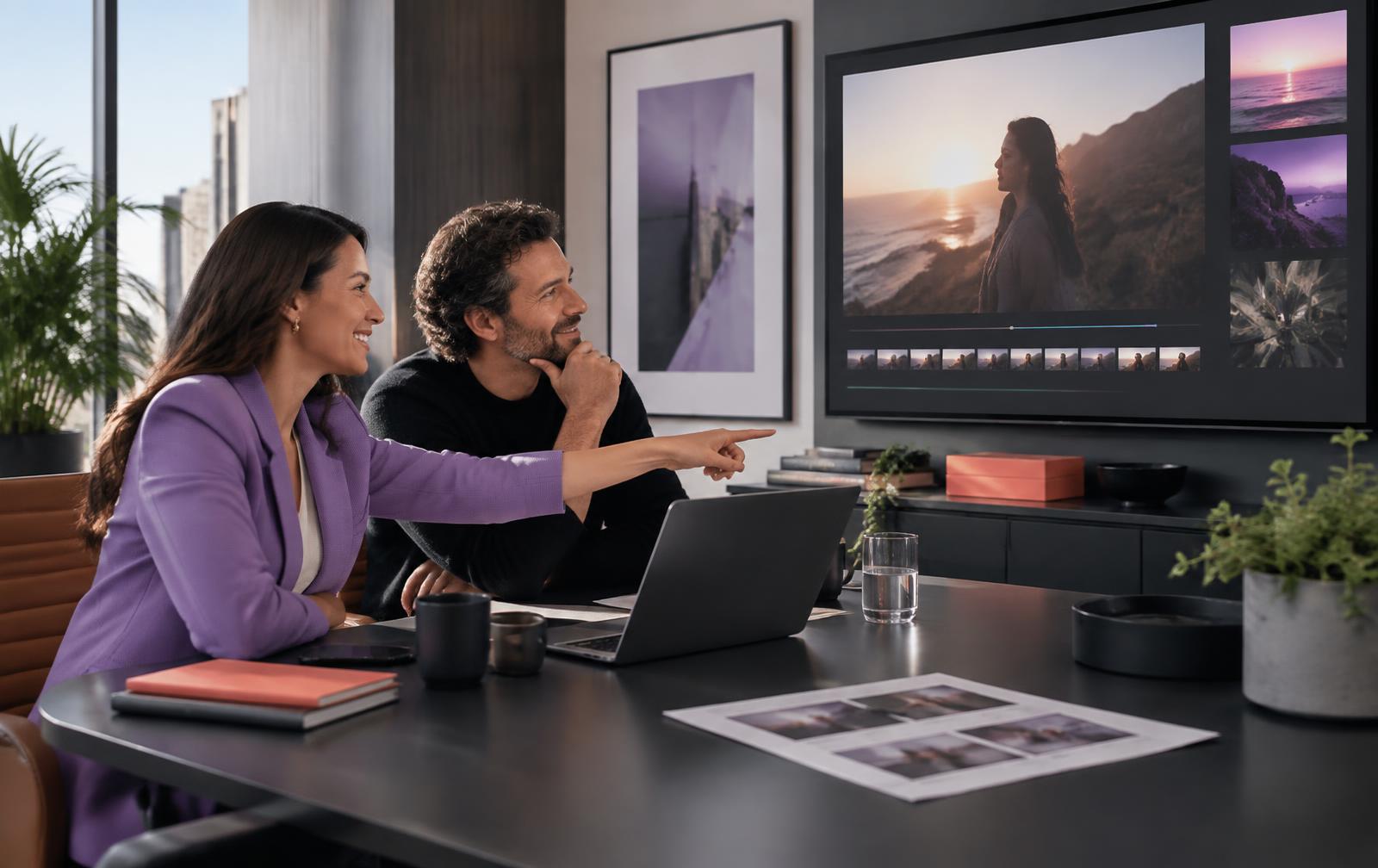
Production team editing a multi-scene cinematic film
07

Long-form Films

Longer narrative and sales films from the same brand system

Short-form is not always the job. Long-form production builds complete multi-scene films — a sales film, launch story or full explainer — from the same brand profile, avatar and script system as your reels. Production continues safely in the background, completed scenes remain attached after refresh, and genuine scene failures return the affected credits automatically.

Best for: Launches, sales pages, webinars and anything that needs more than thirty seconds

How it runs

  1. 1Outline the film: scenes, message, running order.
  2. 2Generate scene by scene, re-rendering only the scenes that need it.
  3. 3Finish, review and publish or download for external use.

What you get

  • Multi-scene builds with per-scene regeneration
  • Shared brand, avatar and voice with your short-form work
  • Cloudinary finishing for clean joins, stabilised framing and consistent colour
  • Download for use on sales pages, ads or external platforms
Content manager scheduling finished videos across channels
08

Publishing and Scheduling

From approved video to scheduled post, without leaving the platform

Finished work moves into an approval queue. What you approve can be posted to TikTok immediately or scheduled across your connected accounts — including Facebook Pages via one-click connection — with captions and tracked campaign links already attached. The calendar separates upcoming, published and unsuccessful posts so the next action stays clear.

Best for: Anyone posting on more than one channel, or more than once a week

How it runs

  1. 1Connect your accounts once from the publishing settings.
  2. 2Approve finished videos in one queue.
  3. 3Pick channels and dates; the calendar handles the rest.

What you get

  • One-click Facebook Page connection plus guided setup for other networks
  • Bulk scheduling across multiple channels in one action
  • Captions written per platform, with AI remix if you want a different angle
  • Tracked links attached automatically to every post
Agency and client reviewing a video in a branded workspace
09

White-label Client Portals

A branded workspace your clients log into

Client work falls apart in email threads. A portal gives each client a branded space for brief intake, watching drafts, leaving revision notes against the exact video, approving, and downloading finished media. Your branding sits on the portal, the links and the review pages — the platform stays invisible.

Best for: Agencies, freelancers and anyone delivering video to paying clients

How it runs

  1. 1Create a client workspace and apply your branding.
  2. 2Send the intake link; the client submits the brief.
  3. 3Client reviews, comments, approves and downloads in the same place.

What you get

  • Branded intake, review, approval and delivery pages
  • Revision notes attached to the specific video and version
  • Client sub-accounts and team seats on agency plans
  • Delivery history ready for the monthly call
Business owner following up with leads from a video campaign
10

CRM and Follow-up

Leads stay attached to the campaign that produced them

Publishing creates leads; most tools then lose them. Lead activity, conversations and next actions stay tied to the campaign and the tracked link that produced them, so you can see which content is doing the work and pick the follow-up back up without digging through an inbox.

Best for: Anyone selling something — an offer, a service or a retainer — off the back of content

How it runs

  1. 1Tracked links carry campaign and asset details on every post.
  2. 2New activity lands in the CRM against that campaign.
  3. 3Work the follow-up queue and log the next action.

What you get

  • Lead records linked to campaign, asset and channel
  • Conversation and activity history in one timeline
  • Next-action tracking so nothing stalls
  • Reporting that connects published work to lead activity

Start with one link

Paste it and see the first batch.

Credits land in your wallet straight away, and the Flagship Engine is included on every plan.